 Pairify Pairify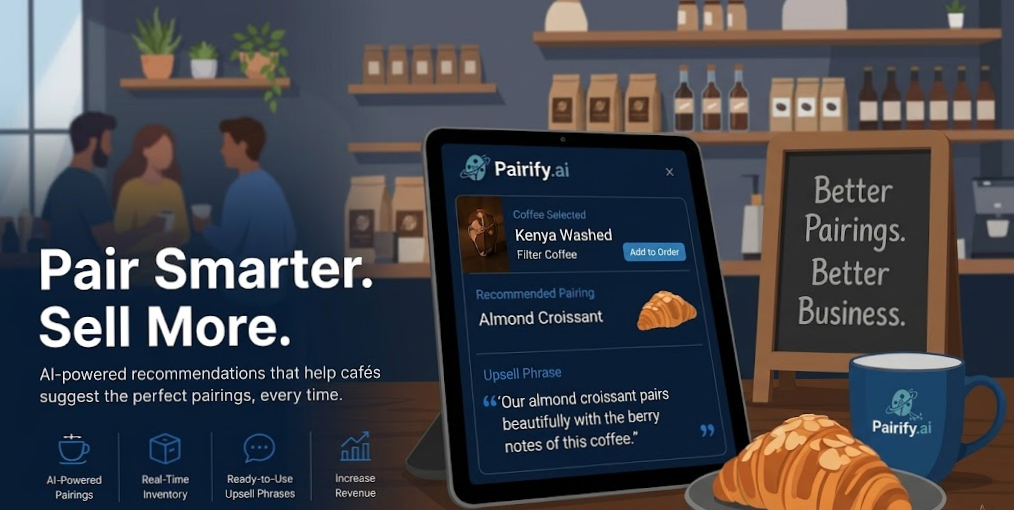
Recommend the perfect food pairing for every coffee order — with ready-to-use upsell phrases that lift your average ticket.
Turn every barista into a confident seller with real-time, inventory-aware recommendations built directly on your Square data.
Suggest the right complementary pastry or drink on every order to grow the average ticket.
Ready-to-use upsell phrases help staff recommend confidently and consistently.
Recommendations always respect current stock, so you move the right products at the right time.
Get up and running in five steps — no technical setup required.
Choose the plan that fits your café's needs. Upgrade anytime as you grow.
Two steps — authorize Pairify with your Square account, then pull in your catalog. Done.
Authorize Pairify with secure, read-only access to your Square catalog and inventory.
Import your products, variations and inventory — Pairify will generate AI pairings right away.
Syncs automatically every day at 5:00 AM
Pairify rewrites your Square catalog descriptions in real time — turning generic product text into confident, inventory-aware upsell copy that baristas can read straight off the POS.
Pairify requests the minimum read-only access required to generate accurate, stock-aware recommendations.
Everything merchants ask before getting started.
ITEMS_READ and INVENTORY_READ to ensure recommendations reflect current stock levels and catalog changes.MERCHANT_PROFILE_READ to retrieve basic business information.ORDERS_READ and CUSTOMERS_READ can be used for historical purchase analysis to refine pairing recommendations.A central resource for merchants to quickly find information and troubleshoot common issues.
Guide for the initial OAuth flow and authorizing Pairify's necessary read permissions for your Square account.
Steps to synchronize your Square catalog (products, variations) and inventory data to ensure real-time, up-to-date recommendations.
Instructions on how to configure, enable, disable, and edit the AI-generated product pairing recommendations within the dashboard.
Solutions for common errors such as connection problems, sync failures, or issues with inventory-aware recommendation logic.
Pairify is committed to protecting your privacy. This policy describes how we collect, use, and share information when you use our Square Marketplace application.
We collect data from your Square account via the Square API solely for the purpose of providing and improving our AI-powered pairing recommendations. This data includes:
We do not sell or rent your Square data to third parties.
We implement security measures such as unique API keys per shop and mandatory HTTPS connections.
We store your data only as long as your Pairify account is active. Upon uninstallation of the app, your Square data is securely deleted.
By installing the Pairify application, you agree to these terms. Pairify is offered as a B2B SaaS model (€29 / €79 / €199 per month).
Pairify grants a non-exclusive license for use in connection with your Square POS. The decision to accept recommendations rests solely with your staff.
All intellectual property rights regarding Pairify are the sole property of Pairify.
You are responsible for configuring pairings. Pairify is not liable for impacts on revenue due to the acceptance of suggestions.
Pairify does not guarantee error-free operation. In the event of an error, the app uses a "silent fallback".
If you encounter an issue, please email our support team at support@pairify.cloud. To ensure a quick resolution, please provide the following: